
How to buy on LoveGoBuy
Follow the process from a Weidian listing in the spreadsheet to a parcel shipped by LoveGoBuy.
Expand the six illustrated buying steps
Find the Weidian product
Open the spreadsheet and search by name or Weidian ID. Try 7858402075 to find the hoodie used in this walkthrough. Open the result and compare the listing photos.
Try this search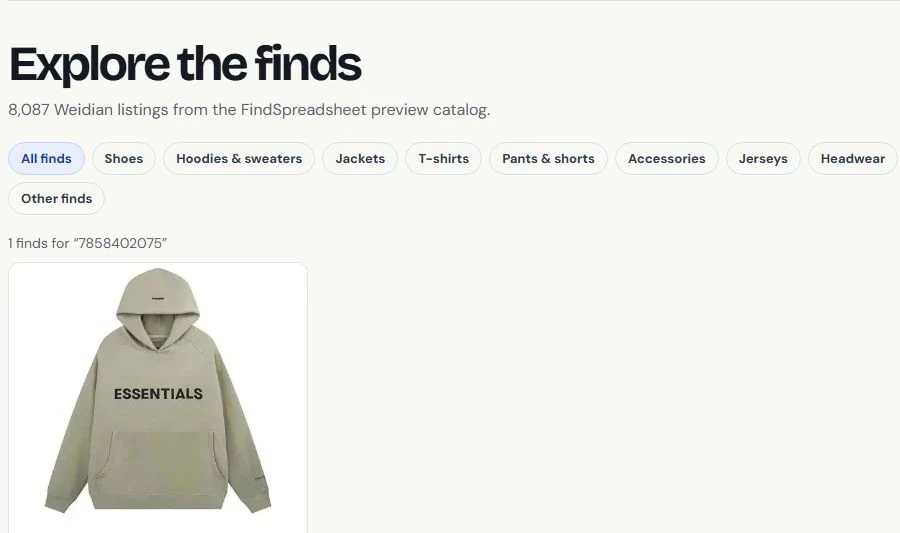
Findsheet search Check available QC photos
Open the listing’s warehouse QC panel or enter the product ID in QC Finder. Sample 7321418559 shows how warehouse photos appear when available.
Open the QC sample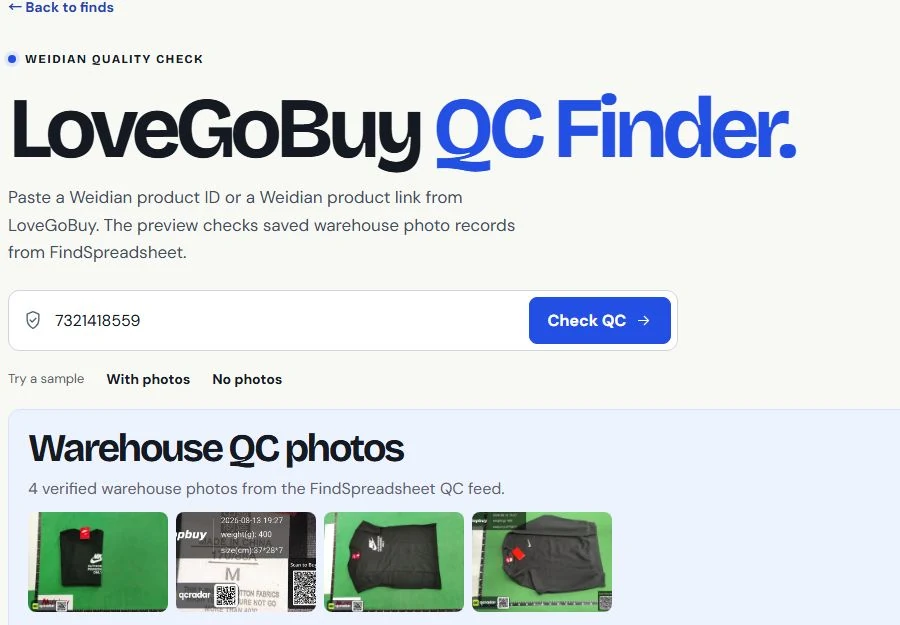
Findsheet QC Finder Open the item on LoveGoBuy
Select Buy on LoveGoBuy on the Findsheet product page. Sign in or create a LoveGoBuy account, then verify the seller’s current price, options and stock.
Open the sample product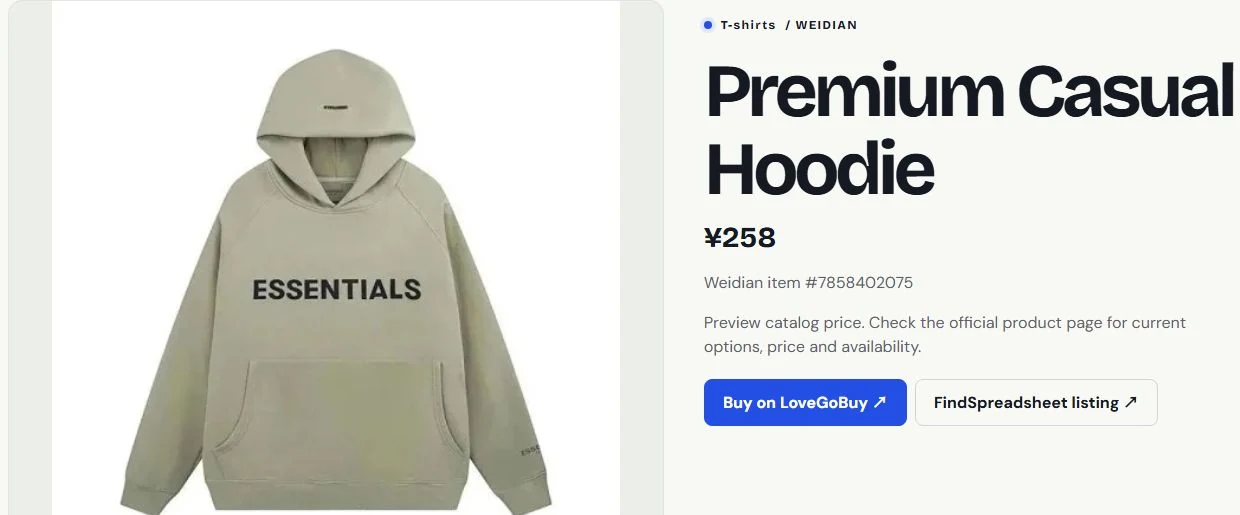
Findsheet product page Select options and pay for the item
Choose the color, size and quantity shown on the LoveGoBuy listing. Use Add to Cart or Buy Now. Review the item and domestic shipping costs before paying. LoveGoBuy then orders from the seller.
Open LoveGoBuy listing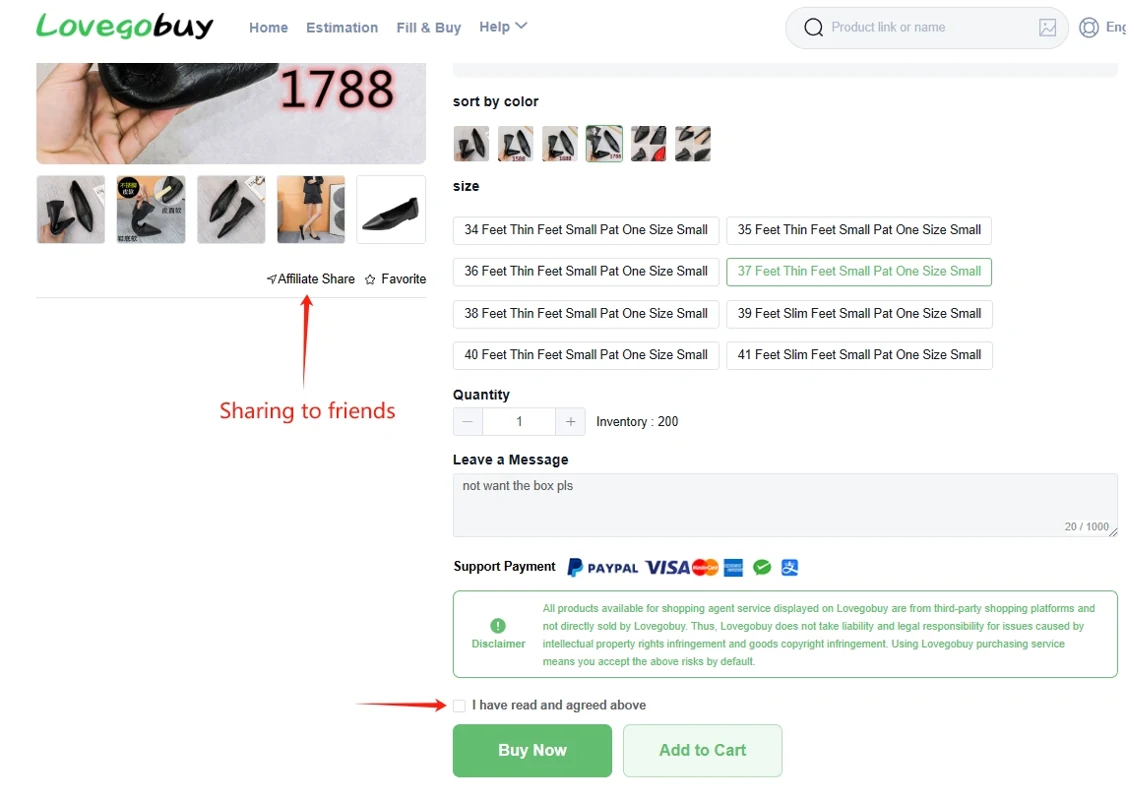
LoveGoBuy Help Center example Review warehouse QC and submit a parcel
When your order reaches the warehouse, open User Center → Warehouse to review photos of your item. Select the items you want to send, enter the delivery details, and choose an international shipping route.
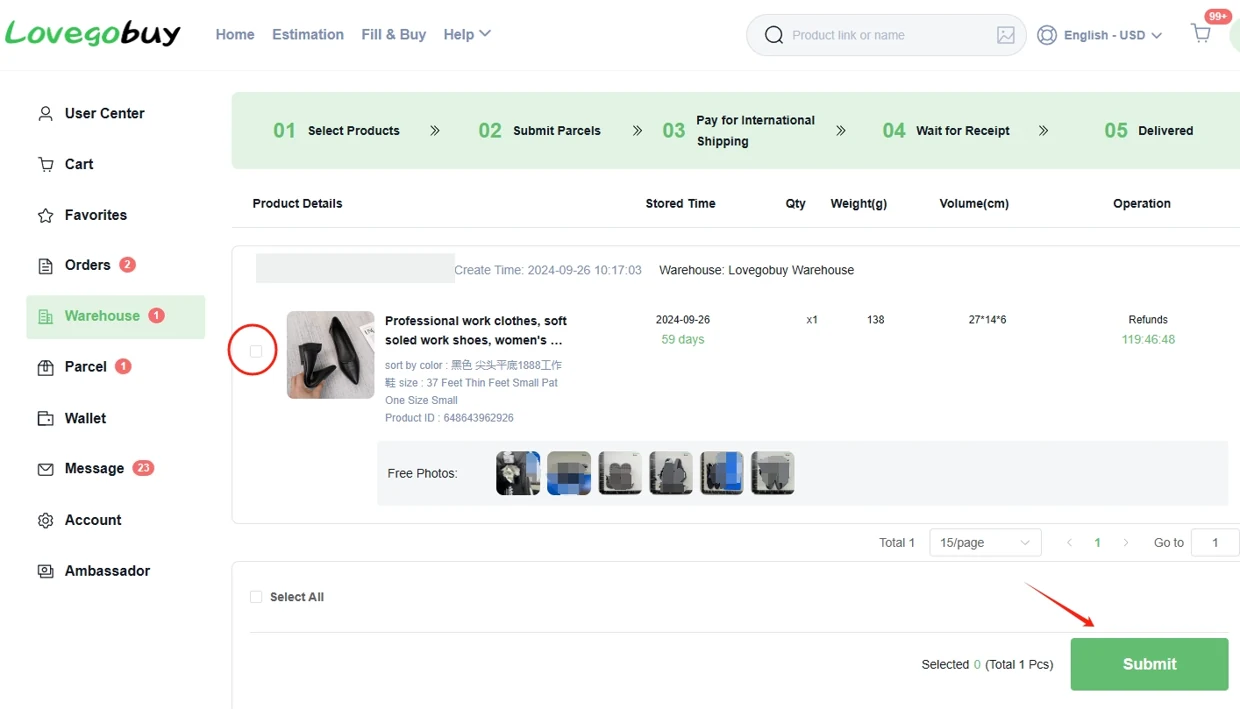
LoveGoBuy Help Center example Pay for shipping and track delivery
Review the international shipping total and pay the parcel charge. LoveGoBuy packs and dispatches the parcel. Open Parcels to follow the tracking updates.
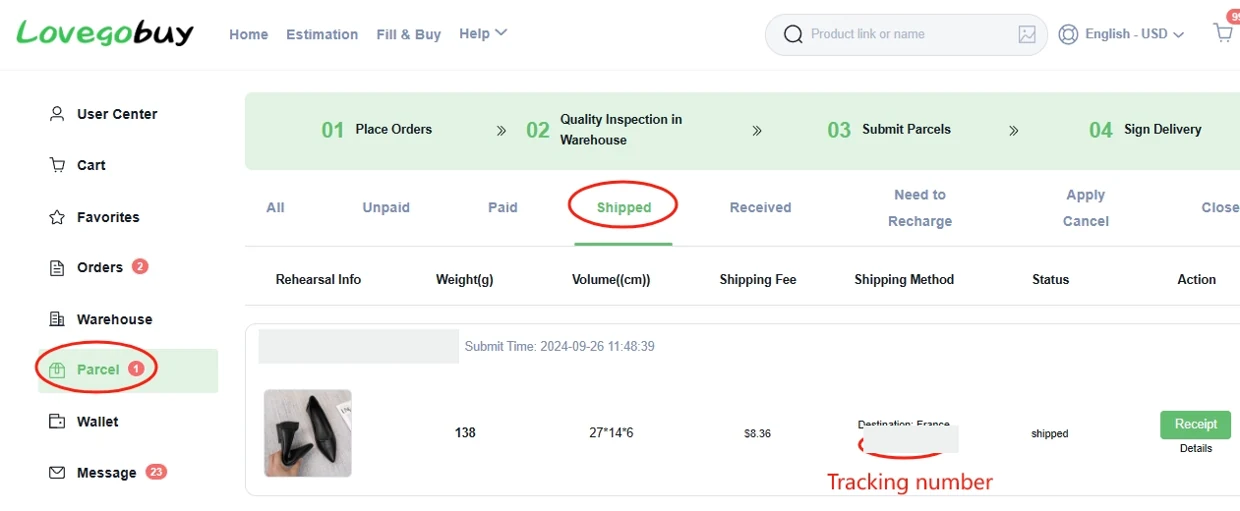
LoveGoBuy Help Center example